Document Locking & Evidence Protection
Every signer's link points at a specific PDF. If that PDF were removed or replaced after sending, the links would break, and worse, signers could end up signing something other than what was sent. Frappe Sign therefore locks a request's documents as soon as the request leaves Draft / Prepared.
What is locked
From Sent onwards (including Viewed, Partially Signed, Changes Added and every concluded status):
- On the request itself, Source Type, Source DocType, Source Name, Print Format, Source PDF, the on-completion settings (Attach Signed PDF To Source, Attach Signed PDF Field and Submit Source On Completion) and the signing fields can't be changed.
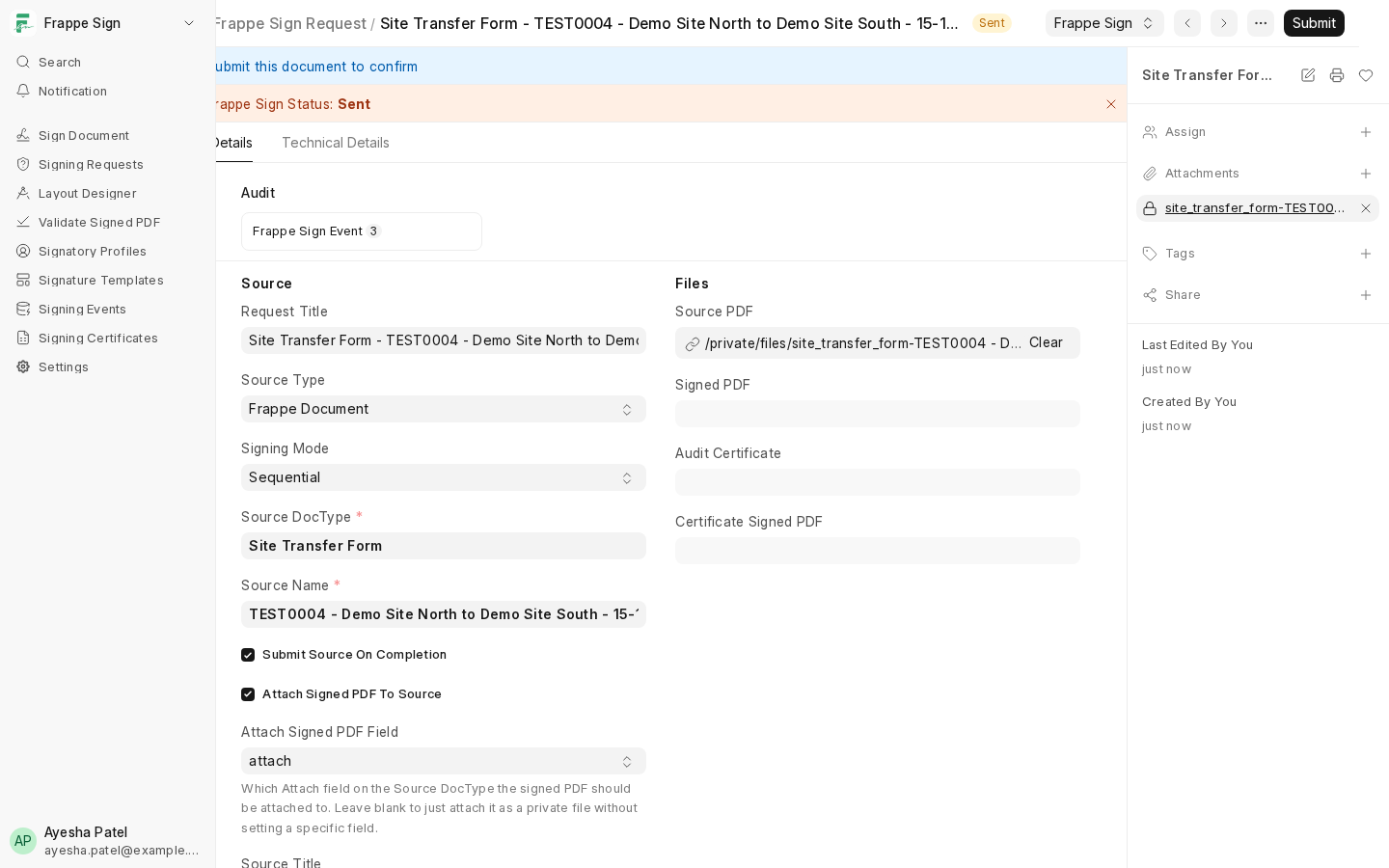
- The underlying File records for the request's Source PDF, Signed PDF, Audit Certificate and Certificate Signed PDF can't be deleted, renamed or switched between Private and Public, whether from the attachments sidebar, the File list or the API.
Attachments show a padlock in the request's sidebar:
Trying to remove one is refused:
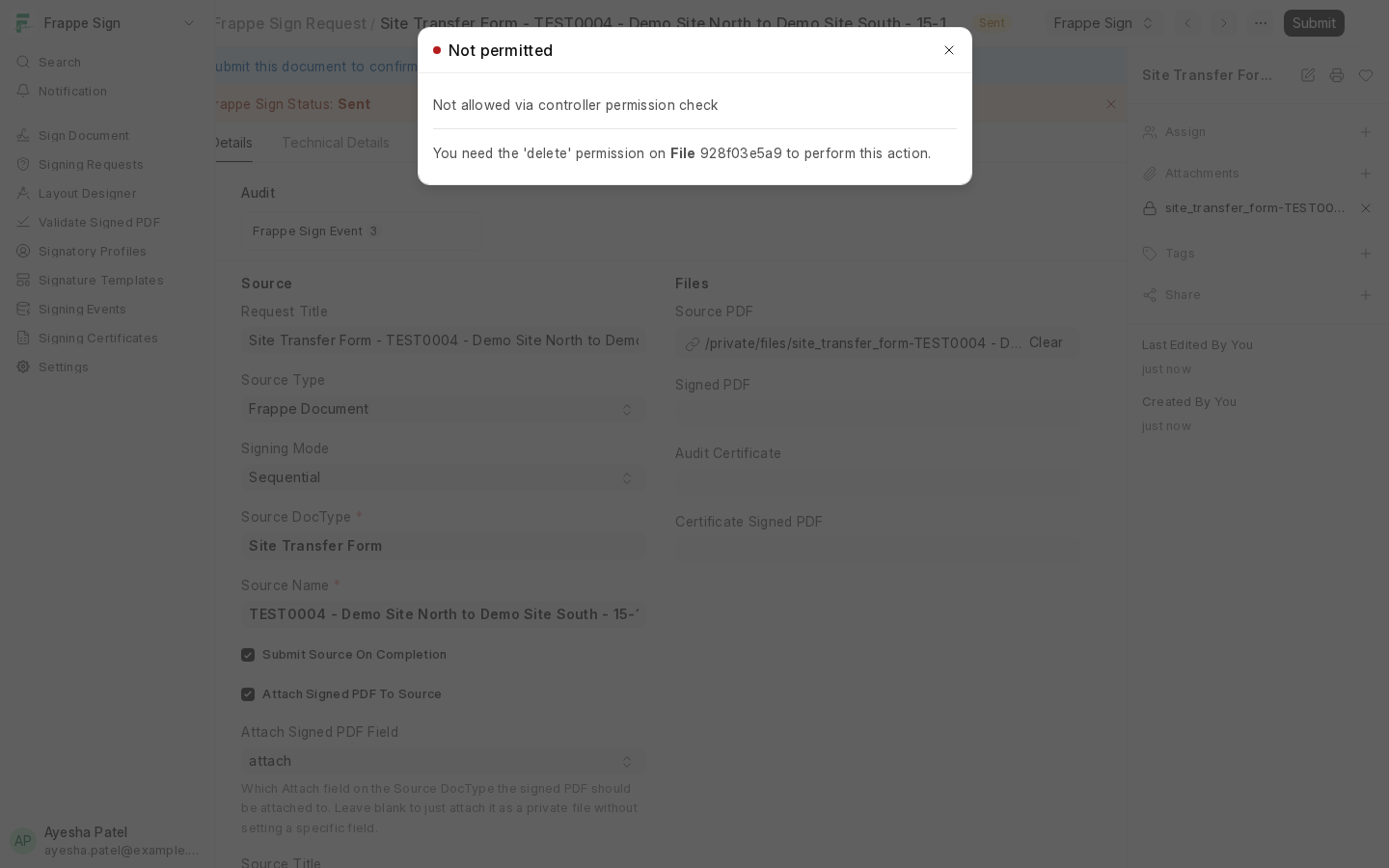
Most users see Frappe's standard Not permitted message, as above. Administrators and scripts that bypass normal permissions get a more specific message instead: "This file is attached to a signing request already sent for signing … and cannot be deleted … Cancel the signing request first if the document needs to be replaced."
Replacing a document
If the wrong document was sent, cancel the request (see Cancelling a Request) and create a new one with the right PDF. The cancelled request, its files and its audit trail are kept as evidence.
Evidence records are read-only
Frappe Sign Event and Frappe Sign Certificate records can't be edited or deleted by any role, including Frappe Sign Manager. Events are linked in a hash chain, so a missing or altered event would show up as a broken chain.