Validating Documents
Anyone who receives a Frappe Sign document can check that it is genuine and unaltered: the signed PDF, the certificate-signed final package, or the audit certificate.
Open Validate Signed PDF in the Frappe Sign sidebar, choose the Signed Document PDF, optionally add the Audit Certificate PDF, and click Validate.
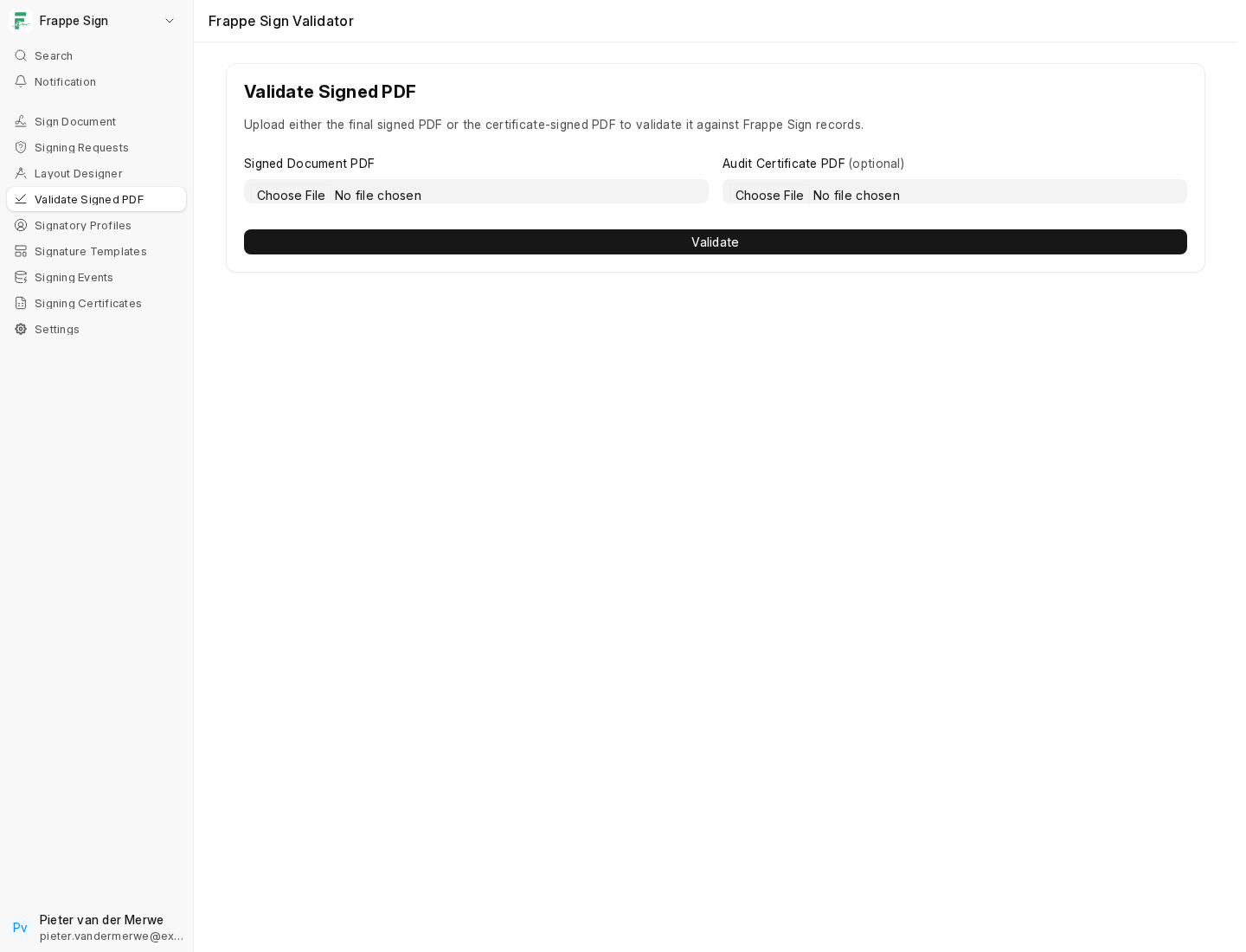
The validator computes the uploaded file's hash in memory. The file is never saved. It then looks for that hash among Frappe Sign's own records:
Frappe Sign Request.signed_pdf_hash
Frappe Sign Request.certificate_signed_pdf_hash
Frappe Sign File Hash.sha256_hash
Frappe Sign Certificate.signed_pdf_hash
Frappe Sign Certificate.final_pdf_hash
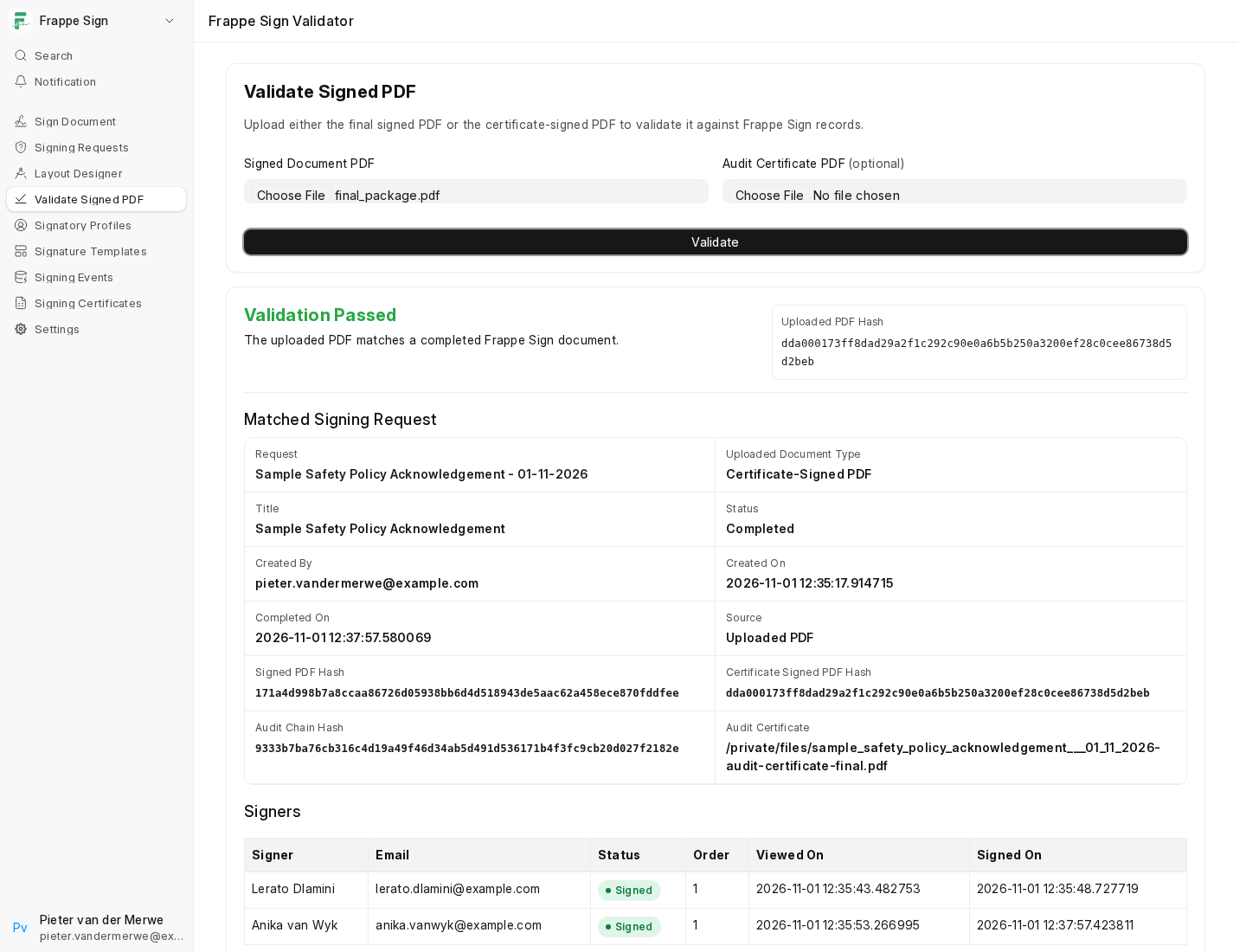
A match returns the full picture: which request the file belongs to and what kind of file it is, the request's status and dates, who created and signed it and when, the hashes and audit chain hash, and a table of the individual checks performed:
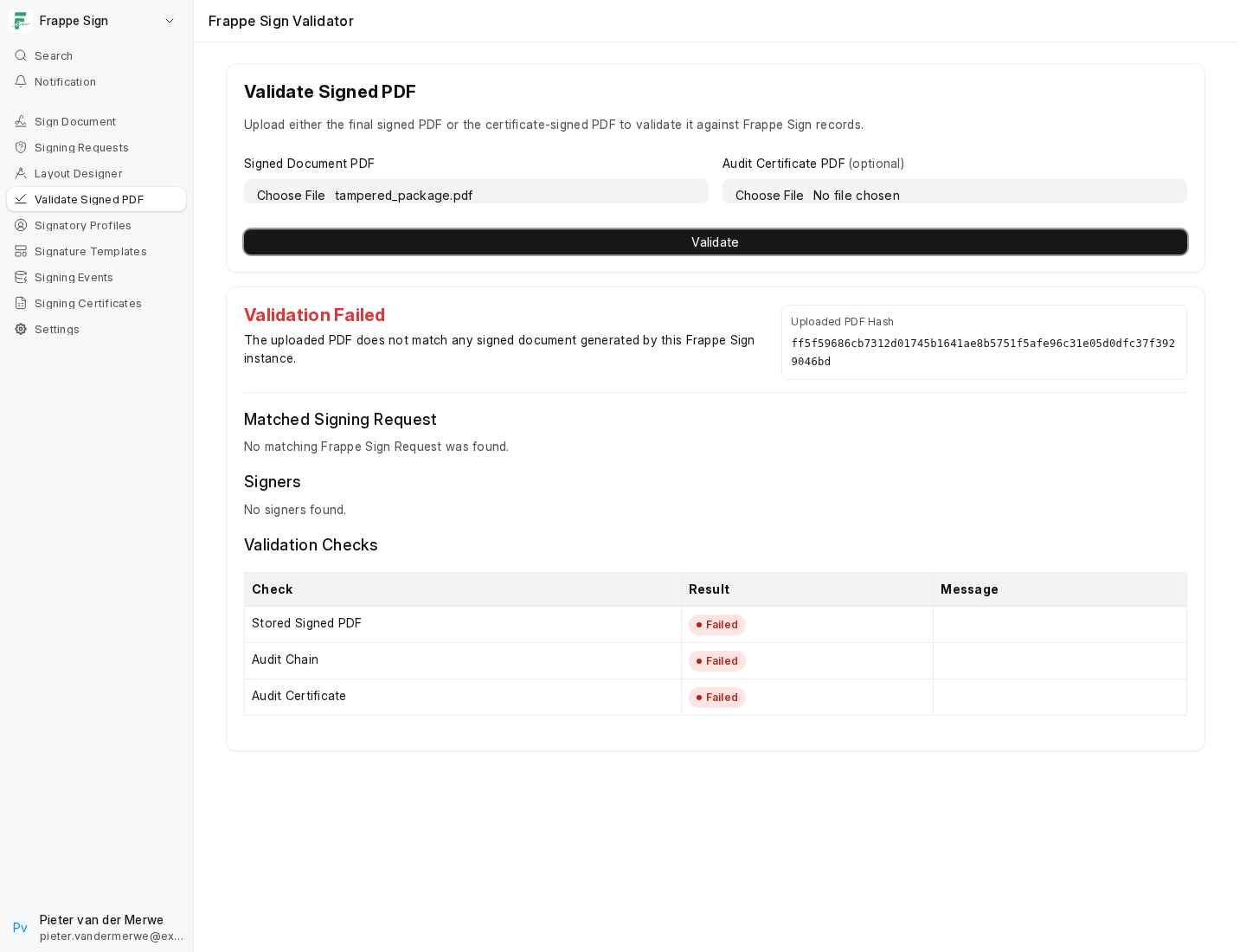
If the file has been changed in any way since Frappe Sign produced it, even by a single byte, its hash won't match any record and validation fails:
This is the same mechanism Tamper Detection uses on a schedule for the files stored in your own site. See Tamper Detection & Notifications.