Branch Staffing Dashboard
The Branch Staffing Dashboard turns the submitted Site Organograms into a live view of staffing across branches: how many roles exist, how many are filled, and how that has changed over time. Roles: HR Manager, IR Officer, IR User and System Manager.
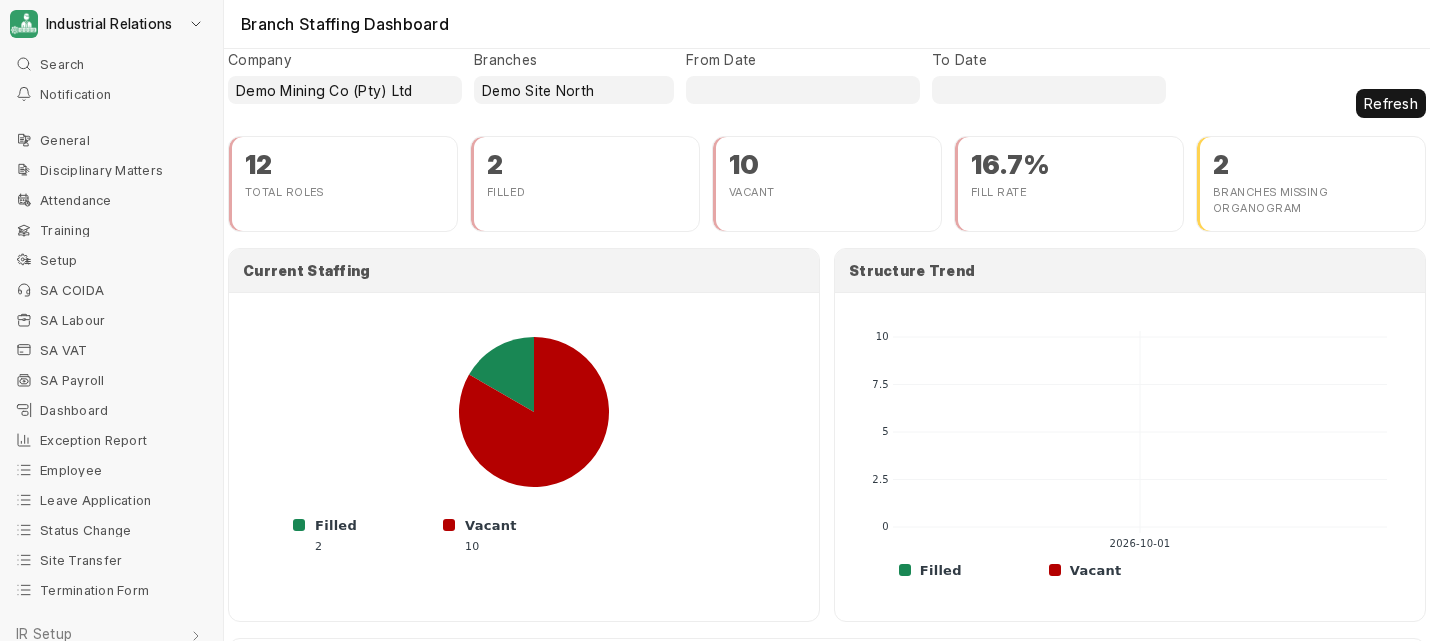
Filters
Company, Branches (one or more), and an optional From Date / To Date for the trend. Click Refresh after changing filters.
What it shows
- Totals: Total Roles, Filled, Vacant, Fill Rate, and the number of branches with no current organogram.
- Current Staffing: filled versus vacant.
- Structure Trend: how roles and fill have changed across organogram versions in the date range.
- Branches Missing a Current Organogram, with links to the Site Plan and Organogram designers.
- Designation Breakdown: roles, filled, vacant and fill % per designation. Click a row to open the Branch Staffing Overview report for it, or a Filled count to see those employees.
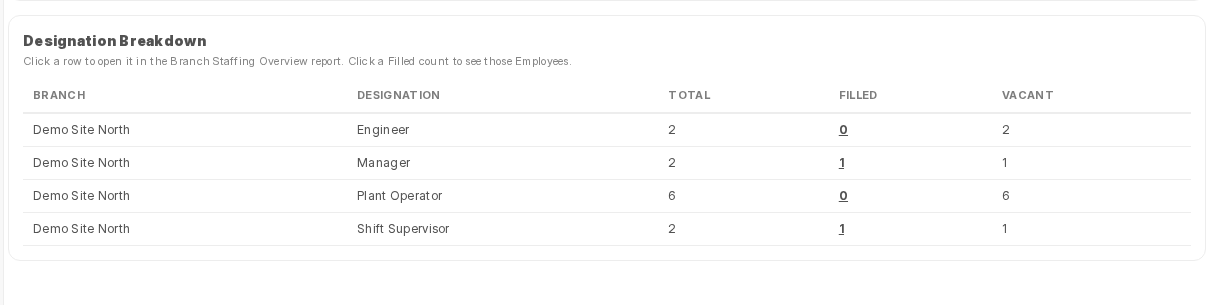
The figures come from each branch's current, submitted Site Organogram. A draft organogram isn't counted. See Site Organogram.
The Branches Missing a Current Organogram panel currently lists every branch on the site, even when you filter by company or branch.
Branch Staffing Overview report
The same data as a query report (General workspace → Reports), with the same filters, one row per branch and designation (Total Roles, Filled, Vacant, Fill %) and the trend chart.