VAT201 Return Workflow & Reports
The VAT201 Return is a working paper that gathers your posted sales and purchase transactions for a VAT period, classifies them, and totals output and input VAT for manual submission on SARS eFiling.
Prerequisites
- South Africa VAT Settings configured for the company.
- Tax templates and item VAT categories in place (Tax Templates & Item VAT Categories) so transactions carry the correct classification.
- Sales and Purchase Invoices for the period posted (submitted).
Step-by-step
-
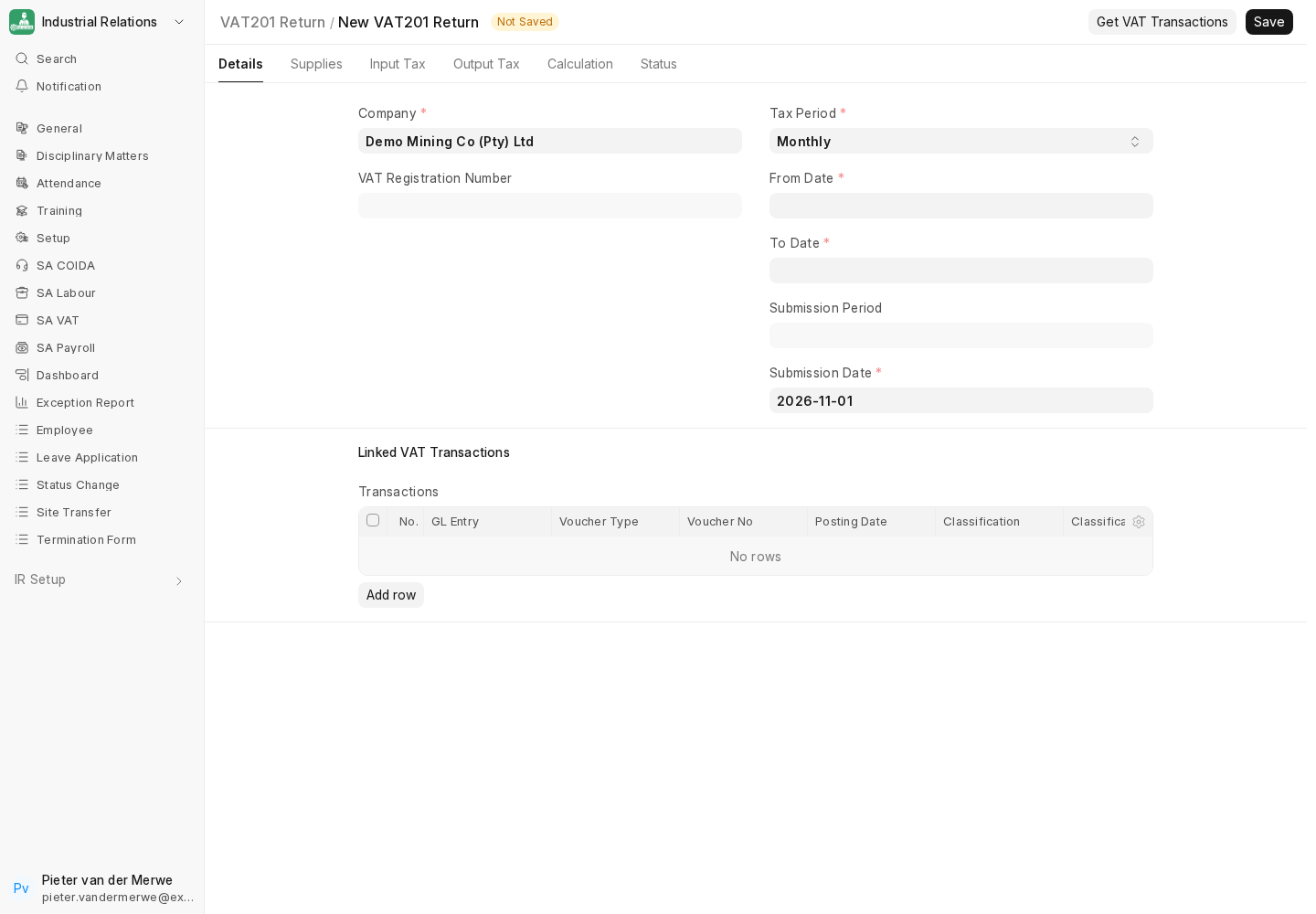
Create the return. Go to VAT201 Return → New. Set the Company, the period (matching your filing frequency), and the From / To dates. The vendor type and rates come from your VAT settings.
-
Pull transactions. Use Get VAT Transactions (the fetch action) to populate the transaction table with all posted Sales and Purchase Invoices in the period.
-
Review classifications. Each row carries a transaction type (Sales/Purchase) and a classification — for example Standard Output, Zero-Rated Output, Exempt, Standard Input or Capital Input. Rows the app cannot classify confidently are flagged for review.
-
Resolve "needs review" rows. For each flagged row, check the underlying item's VAT category and the tax template used. Correct the source document or item classification, then re-fetch. Clean source data means fewer review rows.
-
Check the totals. The return computes Total Output VAT, Total Input VAT, and VAT Payable = Output − Input (or a refund if input exceeds output).
-
File on SARS eFiling. Reconcile and capture the approved values on eFiling.
irdoes not submit electronically; generic PDF/CSV exports are evidence aids, not SARS return files.
Reconciling before you file
Use the VAT reports in the SA VAT workspace to sanity-check the return:
- VAT 201 Linked Transactions — drill from a VAT201 line back to the source invoices.
- VAT 201 Account Classifications — verify each VAT account maps to the right return field.
- VAT Analysis — review output/input VAT by period and rate.
Cross-check the VAT Payable figure against your VAT Output and VAT Input ledger balances in the General Ledger for the period. They should agree.
Periodic routine (summary)
Each VAT period: post all sales/purchase invoices → create VAT201 Return → Get VAT Transactions → clear review rows → reconcile against the GL → export and file on eFiling → record the payment/refund.
Next
VAT setup is complete. Continue to Payroll Prerequisites & Settings, or review the SA Labour and SA COIDA modules if the client needs them first.