Site Budget
A Site Budget costs a specific Site Organogram over a date range - a simulation of what the site's staffing would cost, not a payroll transaction.
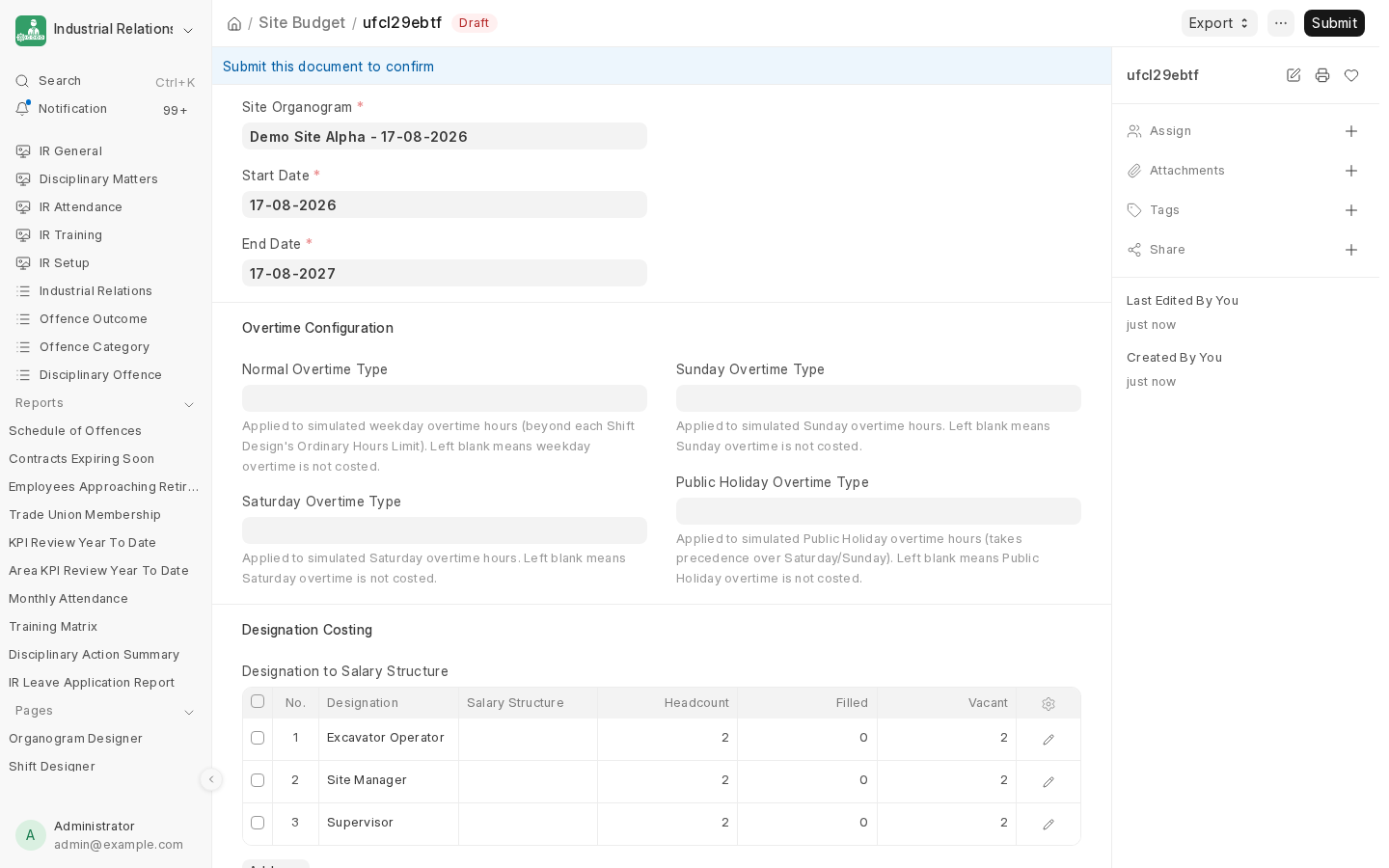
What it captures
- Start Date / End Date - the period being simulated.
- Overtime Configuration - a Normal, Saturday, Sunday, and Public Holiday Overtime Type. Each is optional; leaving one blank simply means that category of overtime isn't costed. Normal (weekday) overtime is simulated beyond the Shift Design's own Ordinary Hours Limit; Public Holiday overtime takes precedence over Saturday/Sunday if both would otherwise apply.
- Designation Costing - one row per Designation appearing in the organogram, mapped to a Salary Structure. Headcount, Filled, and Vacant are derived directly from the organogram's own slots and current assignments, not typed in by hand - so the budget always reflects the organogram's real staffing state at the time it's calculated.
Because vacancy counts come straight from the organogram, a Site Budget is also a quick answer to "what would it cost to fill every open slot at this site right now?" without needing a separate headcount reconciliation step.
Next: Exporting to Excel.
Last updated 2 months ago
Was this helpful?