Opening a Case
Disciplinary, incapacity, and poor-performance matters each start as their own doctype - Disciplinary Action, Incapacity Proceedings, or Poor Performance - but all three share the same shape and the same downstream process (NTA Enquiry, Written Outcome, a sanction, and a possible Appeal).
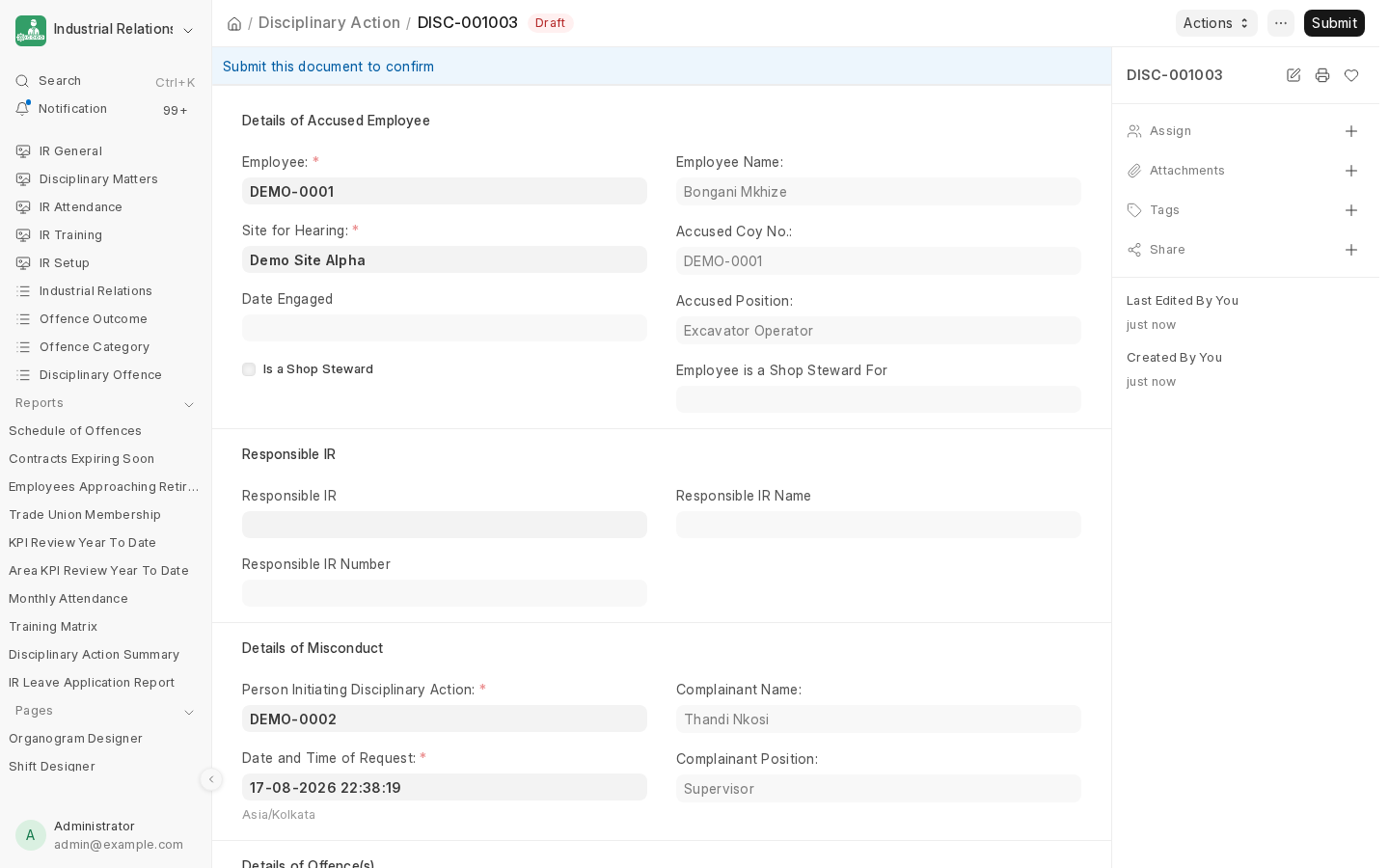
What each one captures
| Field | Disciplinary Action | Incapacity Proceedings | Poor Performance |
|---|---|---|---|
| Accused/employee | accused |
accused |
employee |
| Their designation, at the time | accused_pos |
accused_pos |
employee_designation |
| Site | branch ("Site for Hearing") |
branch ("Site for Inquiry") |
branch |
| Complainant | Required | Required | Required |
| Case-specific detail | offences (a Charges table of specific misconduct incidents) |
type_of_incapacity, details_of_incapacity |
details_of_poor_performance |
None of the three let you set outcome directly - it starts empty (the case shows as Pending) and only ever gets written by a downstream sanction document once the case is actually decided (see Issuing a Sanction).
What's different between them
- Warning Form is not a valid Incapacity outcome - incapacity is about ability, not conduct, so a disciplinary-style warning doesn't apply.
- Poor Performance's own "No Further Action" equivalent is a Performance Improved finding, not a not-guilty verdict.
- All three carry a rolling history table of the employee's previous outcomes of the same type, shown for context when a new case is opened against the same employee.
The Actions menu
Once saved, every case in Draft shows an Actions dropdown (visible to IR Manager/IR Officer) with every possible next step:
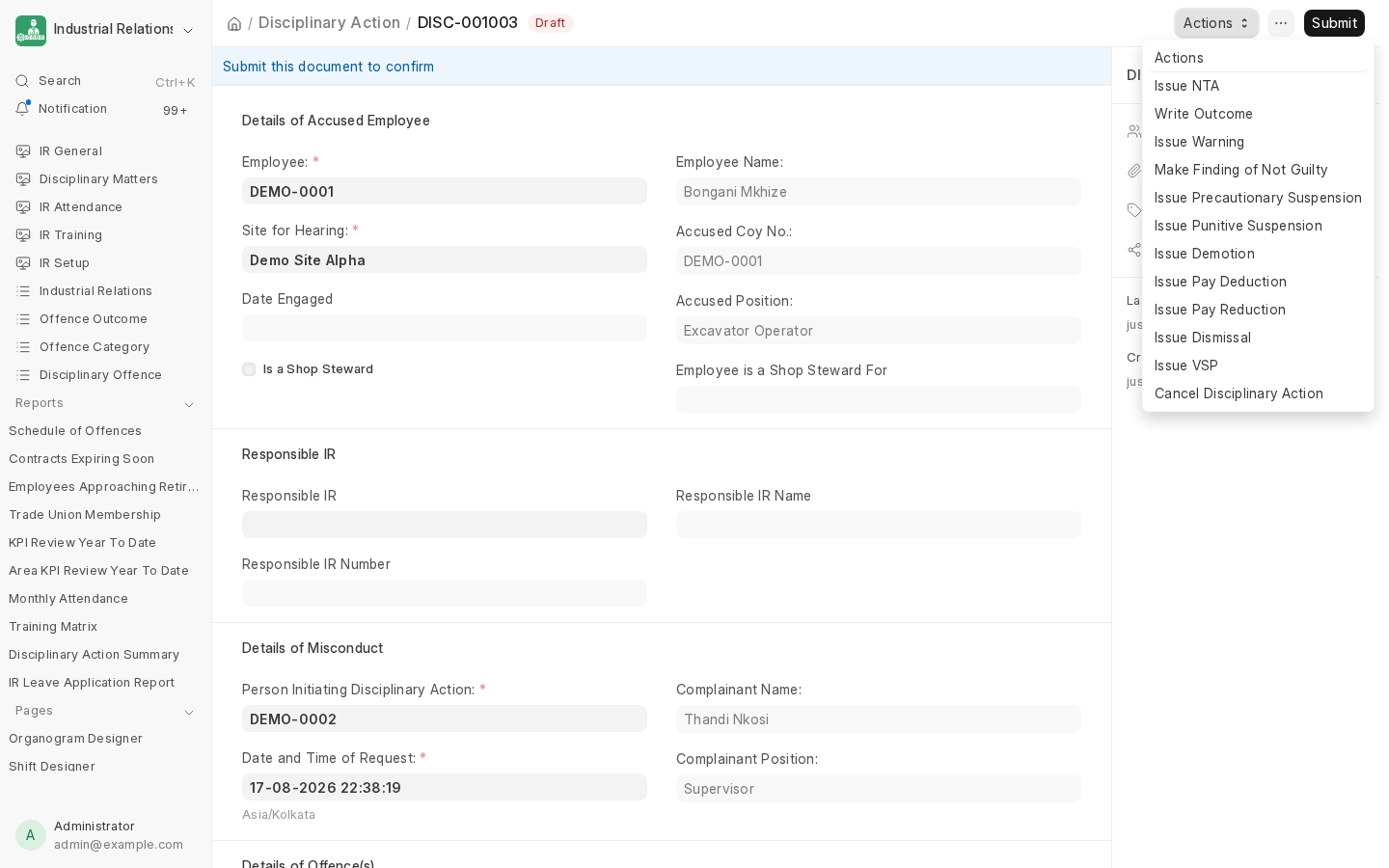
Everything below - the hearing notice, the written outcome, and every sanction - is created from this menu, always against the same case, so the whole history stays linked together.
Next: NTA Enquiry, to schedule the hearing.