ZA Local Setup & Fiscal Year
ZA Local Setup (guided loader)
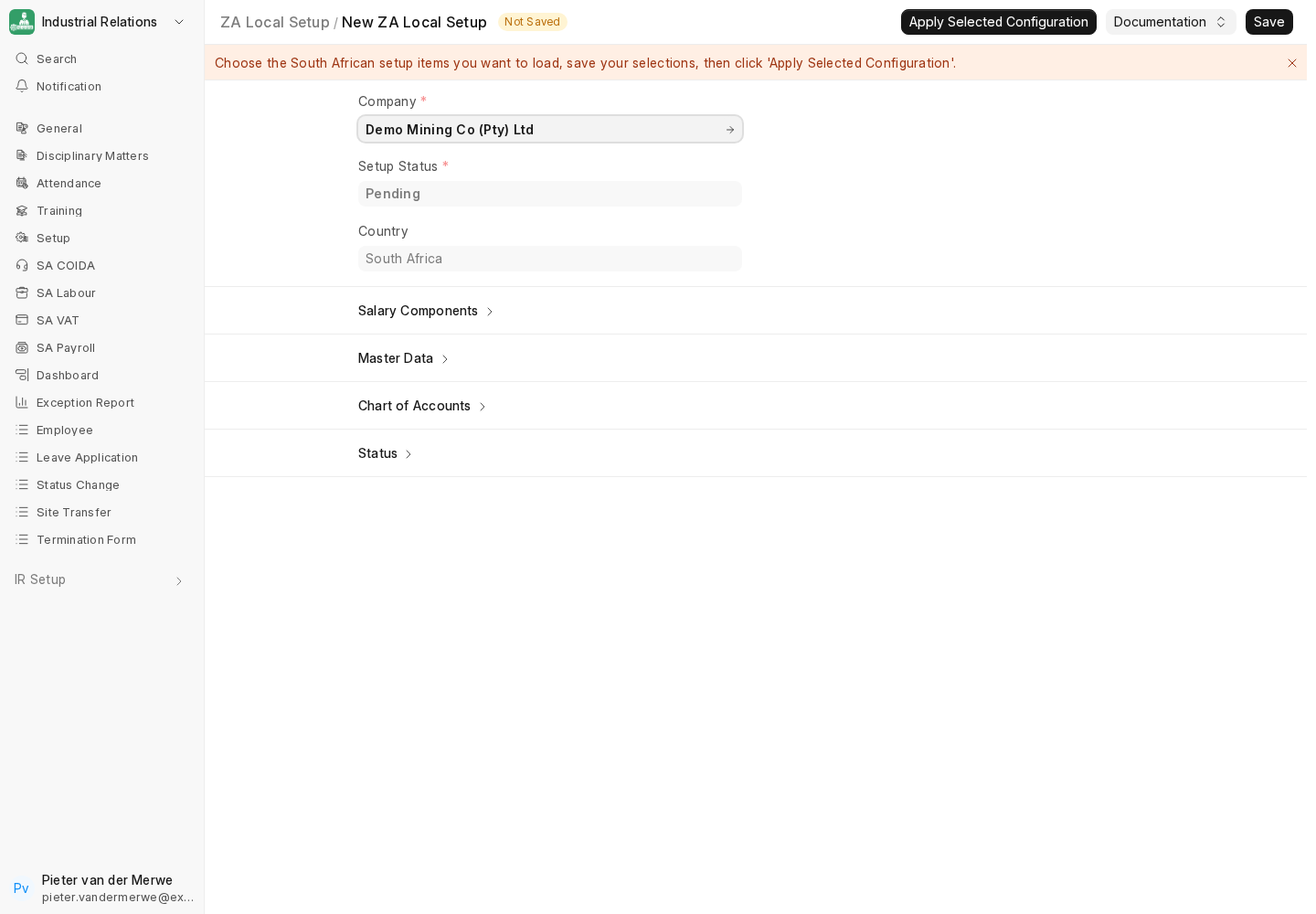
ZA Local Setup is ir's guided configuration helper for a company's South African statutory setup. Open it from the IR Setup workspace → search "ZA Local Setup". It lets you load company-scoped South African statutory data and the chart of accounts from one screen, and it records when setup was last applied.
How to run it
- Select the Company and confirm Country is South Africa. (Setup Status starts as Pending.)
- Tick the data sets you want to load (see below).
- Save the document to store your selections.
- Click Apply Selected Configuration (top-right). The document moves to In Progress, runs the load in the background, and records Setup Completed On. A feedback dialog summarises what was applied.
It is re-runnable, but it is a mutating System Manager operation. Some app-owned defaults may be created or refreshed. Run deliberate selections, review the completion warnings and Error Log, and do not infer statutory readiness from a Completed status.
Options that run company-scoped setup
These are the checkboxes that actually do something — all company-scoped, which is why they still run as code here rather than as a fixture:
- Load Tax Slabs, Load Tax Rebates, Load Medical Tax Credits — create the missing Payroll Period, Income Tax Slab, Tax Rebates and Medical Tax Credit records for the selected company. These three run together as one interdependent statutory configuration.
- Load ETI Slabs & Travel Rates — seeds the company's Travel Allowance Rate records from the statutory rate packs (ETI Slab itself is generic reference data, created on every migrate by ir's
ensure_eti_slabsregardless of this checkbox). - Load Retirement Funds — creates the default retirement fund types (Pension, Provident, Retirement Annuity) for the selected company.
- Load Chart of Accounts — augments the company's existing ERPNext chart with the South African statutory accounts (VAT, PAYE, UIF, SDL, COIDA) and repairs Salary Component account mappings.
Options that no longer do anything
Create Default Salary Components, Create Earnings Components, Load Business Trip Regions, Load SETA List, Load Bargaining Councils, Load SARS Payroll Codes, Apply Salary Component Classifications and Load VAT Vendor Types are still shown on the form but no longer trigger any action — that content is generic (not company-scoped) reference data and is now one of ir's own fixtures, already present on every site after bench migrate, regardless of whether these boxes are ticked. They are kept on the form only for backward compatibility with existing records; expect them to be removed from the form in a future release.
Migration synchronizes app-owned fixtures (Custom Fields, Property Setters, reference data); ZA Local Setup loads selected company-scoped data on top of that. Neither process is practitioner signoff.
Where this guide lives
This guide is maintained in the Industrial Relations Documentation wiki, under SA Practitioner Guide and SA End-User Guide. ZA Local Setup's Documentation → Publish Practitioner Guide button creates separate /sa-guide and /sa-user-guide wiki spaces from the copy of this content shipped with the app; you don't need to use it to read the guide.
Fiscal Year
The South African tax year runs 1 March to the last day of February. Create a Fiscal Year that matches:
- Go to Fiscal Year → New.
- Name it for the year of assessment, e.g.
2026-2027. - Year Start Date:
2026-03-01. - Year End Date:
2027-02-28. - Add the company under Companies.
An accounting Fiscal Year may follow the company's normal year-end. Payroll Periods use the SA tax year. The COIDA working paper specifically requires a Fiscal Year of 1 March to the last day of February; create that additional year where necessary.
Payroll Period
Create a Payroll Period spanning the same dates (e.g. 2026-03-01 to 2027-02-28) for the company — or let ZA Local Setup's Load Tax Slabs option create it for you. The payroll engine uses the payroll period to annualise income for PAYE and to bound EMP501.
Holiday List
Create a Holiday List for the calendar year(s) the tax year spans and add the South African public holidays (ir seeds holiday lists for the configured years as part of company tax configuration). Assign it to the company so leave and working-day calculations are correct. Watch for any once-off public holidays (for example, declared election days).
Next
Complete the VAT section, then start Payroll Prerequisites & Settings.