Training Compliance Dashboard & Training Matrix
The Training Compliance Dashboard (Training workspace) is the main view of training compliance. It replaces the visual that used to live in the Training Matrix report. Open to Training Managers, Administrators and Facilitators, HR Managers and IR users.
Filters
Branch, Area Setup, Designation, Induction Type and Employee Status.
Compliance Overview
One bar per category (Training, Licence, Qualification, Authorisation) and Overall, against a 100% target, with "complete / outstanding" counts based on each employee's required inductions.
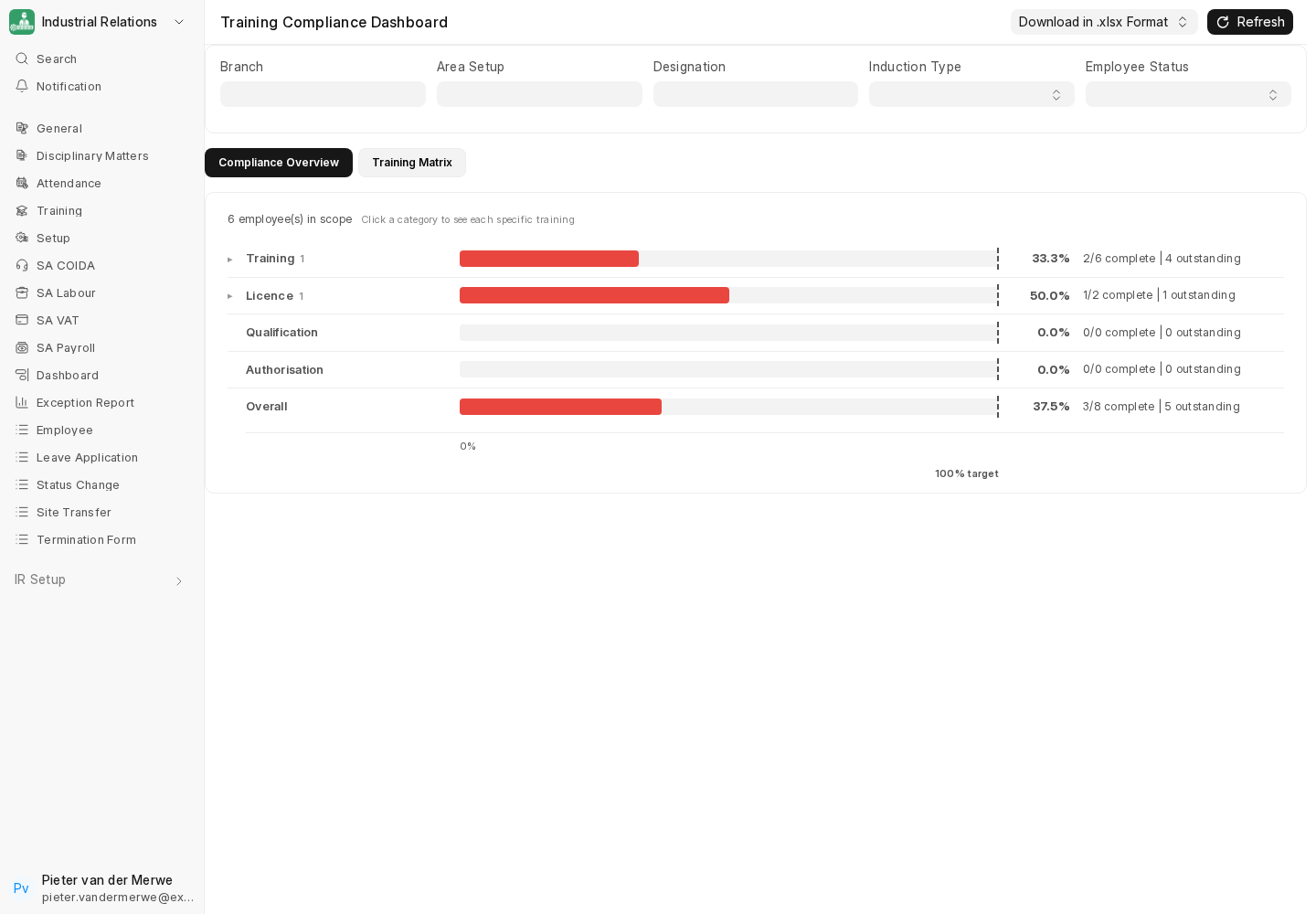
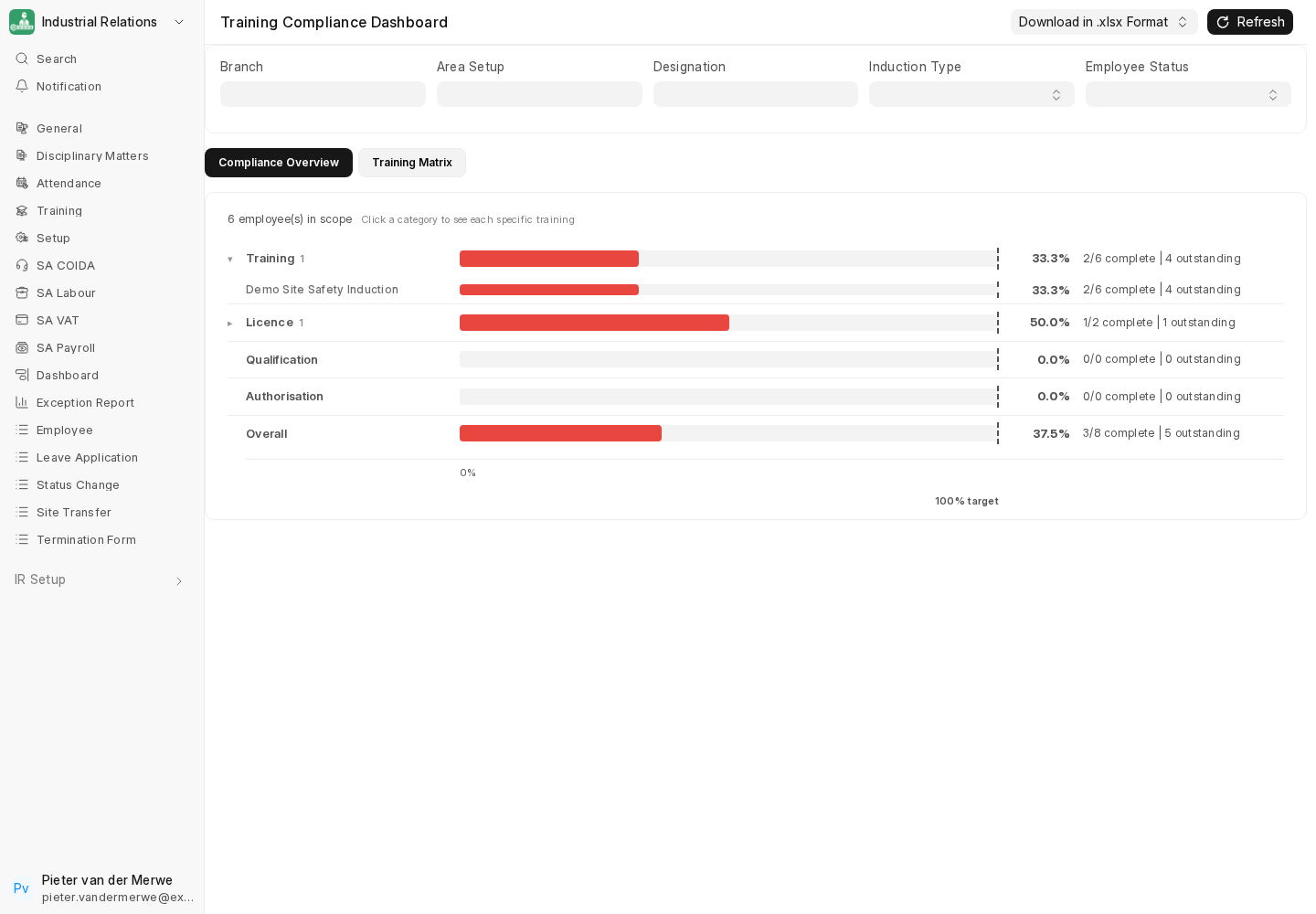
Click a category to see each specific training inside it:
Training Matrix
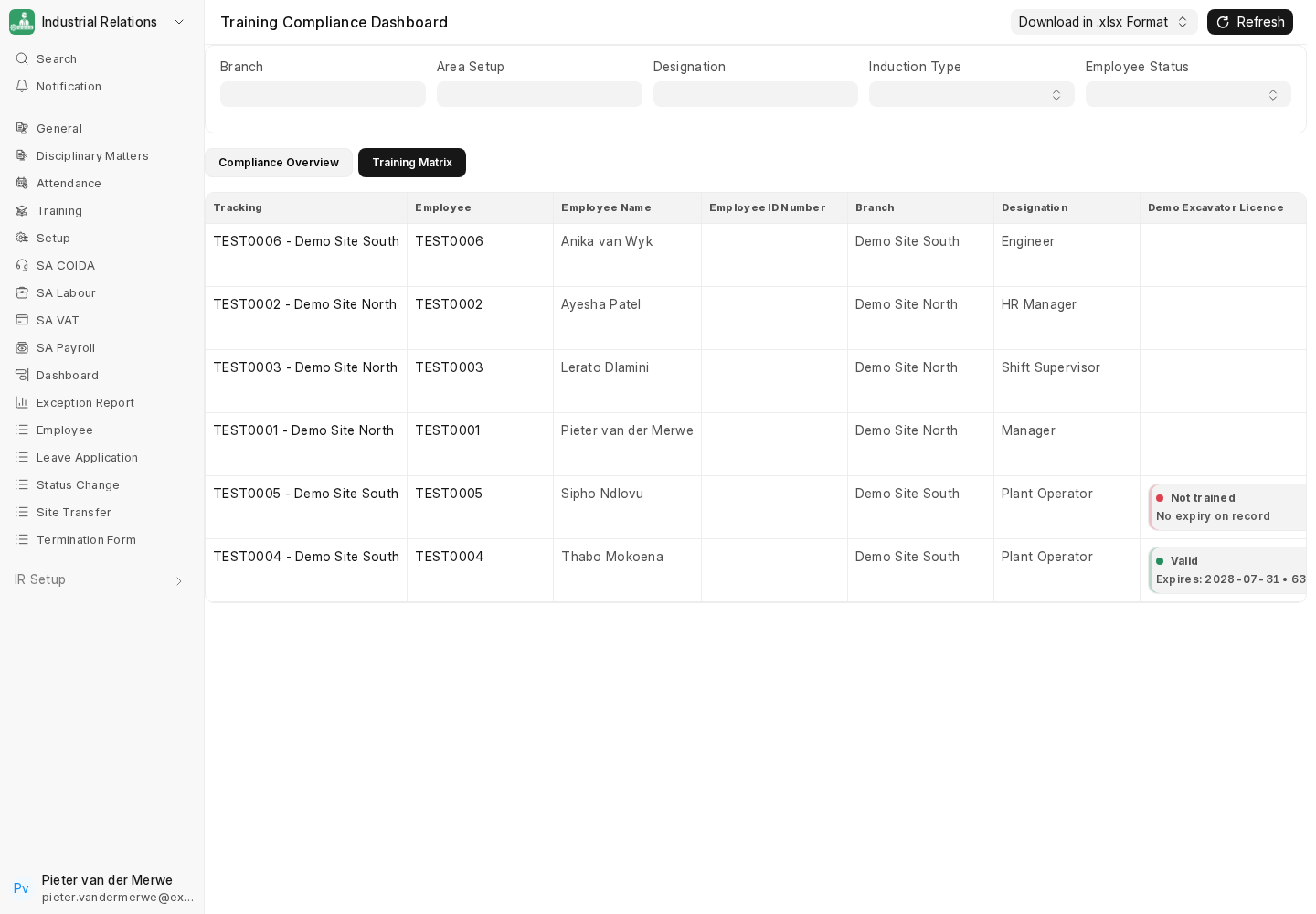
The Training Matrix tab shows one row per employee and one column per induction, with a status badge in each cell: Valid (with expiry date and days left), Expiring, Expired, Not trained or No expiry on record.
Export
Download in .xlsx Format exports the current view, in the dashboard's styled layout or a Neutral Format for further processing.
The Training Matrix report
The older Training Matrix query report is still listed. In the current release its induction columns show raw status data instead of badges (see Known Issues), so use the dashboard.
Next: Job Requisition Extensions.