Contract of Employment
A Contract of Employment is the employment contract itself: employee details, remuneration, working hours and the assembled contract text, generated from a Contract Type template and its Contract Section clauses.
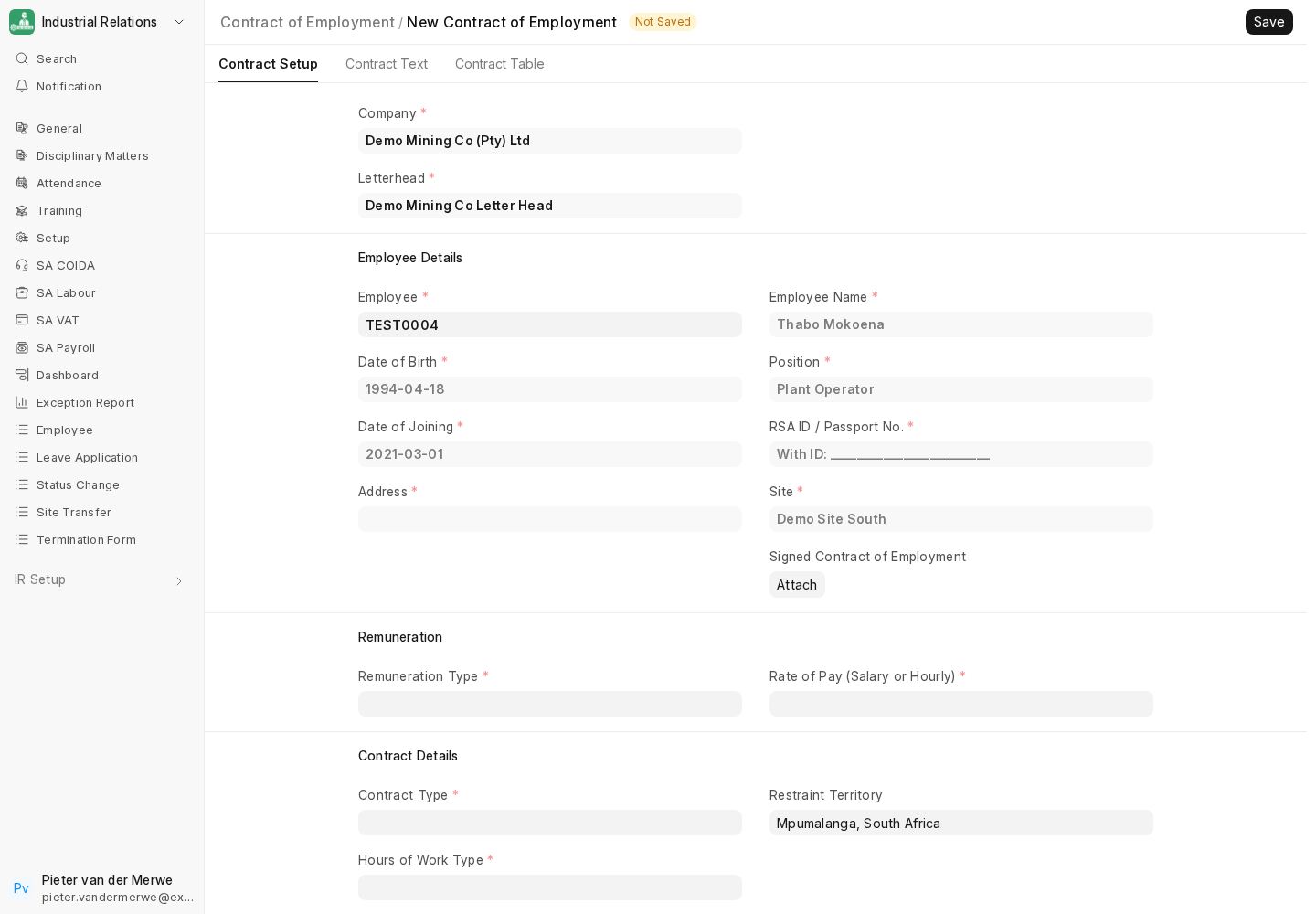
Building one
The form has three tabs: Contract Setup, Contract Text and Contract Table.
- Company and Letterhead: the letterhead defaults to the company's Default Letter Head.
- Employee Details: name, date of birth, date of joining, position and site are pulled from the Employee. Add the RSA ID / Passport No. and Address.
- Remuneration: a Remuneration Type (a Contract Section, for example hourly with shift and safety allowances) and the Rate of Pay, plus up to five allowances.
- Contract Details: the Contract Type (period-based fixed term, project-based fixed term or indefinite; see Contract & HR Setup Reference), the Hours of Work Type, restraint territory and period, and whether the contract has an expiry or a retirement age.
- Fixed Hours of Work: start and end times per weekday, where the hours type needs them.
The Contract Text tab holds the assembled contract; the Contract Table lists the clauses it was built from.
Once signed, attach the executed copy under Signed Contract of Employment.
Notifications and access
Fixed-term contracts feed the weekly contracts expiring / expired digests, narrowed by each recipient's Branch Limits (see Weekly Notifications & Reports). IR Users only see submitted contracts.
Signing electronically
If Frappe Sign is installed, Contract of Employment can be added as a configured source DocType, so contracts can be sent for electronic signature and the signed PDF attached back automatically. See the Frappe Sign documentation.
Next: Status Change Form.