Issuing a Sanction
Once the hearing is done, the case is closed out by issuing exactly one sanction document from its Actions menu. Every sanction is a real, submittable document with its own real effect on the Employee record - and every one of them writes the case's final outcome, outcome_date, outcome_start, and outcome_end back onto the source case.
| Sanction | Employee record effect |
|---|---|
| Warning Form | None to the employee record itself - it's the sanction. |
| Suspension Form (Precautionary or Punitive) | Employee status set to Suspended. Only a Punitive suspension writes the case outcome - a Precautionary one is provisional and doesn't. |
| Demotion Form | Employee's Designation changed, recorded as a new Internal Work History entry. Temporary demotions carry an end date. |
| Pay Deduction Form / Pay Reduction Form | A monetary deduction/reduction amount and date range, no designation or status change. |
| Dismissal Form | Employee status set to Left, with a Relieving Date. |
| No Further Action Form | No employee-record effect - used for a Not Guilty finding, a Performance Improved result, an incapacity Not Incapacitated finding, or (via the case's own "Cancel" button) a Cancelled outcome. |
Every sanction requires a signed copy attached before it can be submitted, the same way an NTA Enquiry does.
Worked example: Demotion Form
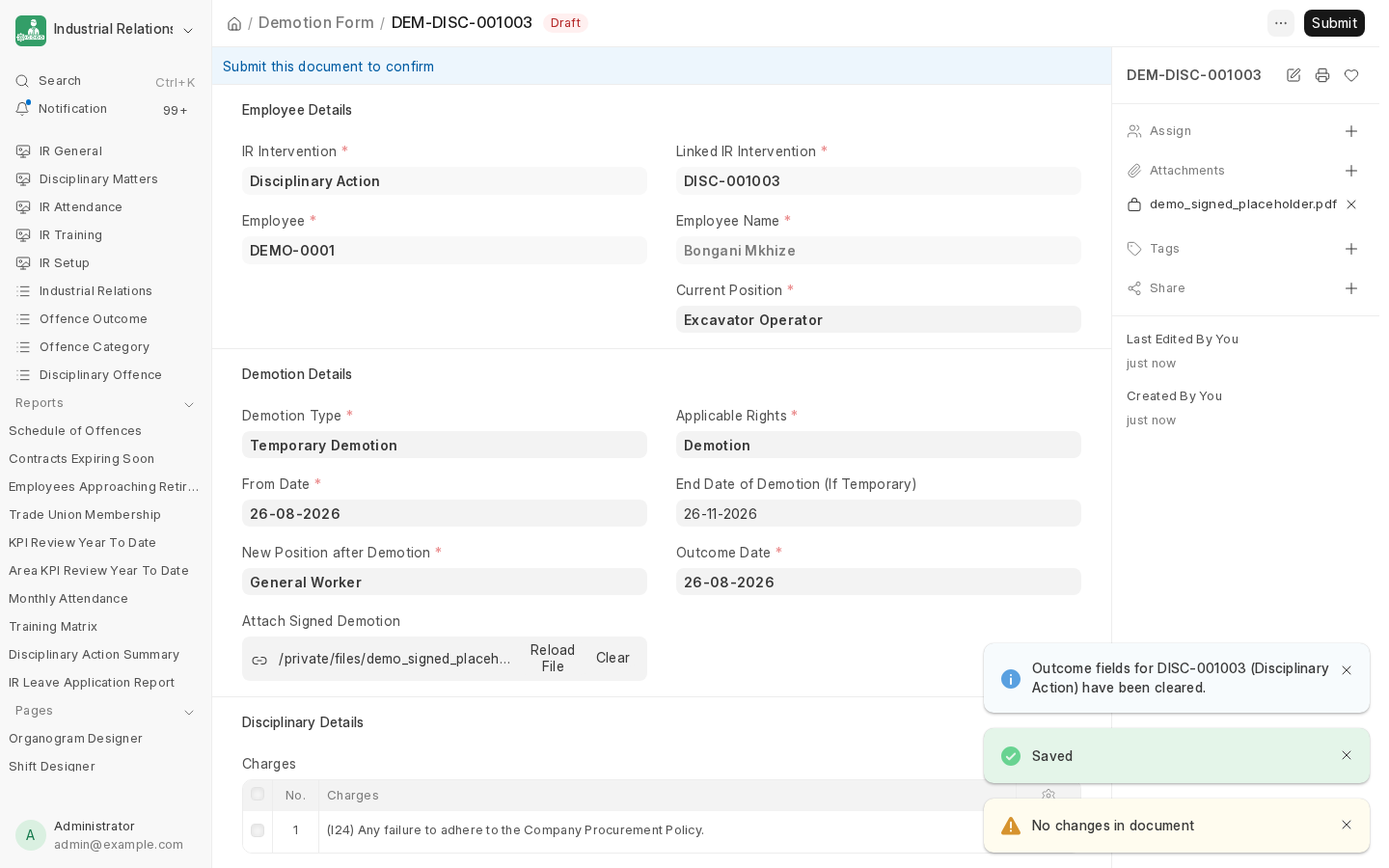
Submitting this Demotion Form immediately:
- Adds a new Internal Work History row on the Employee record (old designation closed out, new one opened, dated from the demotion's own From Date).
- Changes the Employee's Designation to the new position.
- Writes the case's
outcome(the Offence Outcome record, e.g. "Temporary Demotion"), plus a plain-languageoutcome_start/outcome_endnarrative.
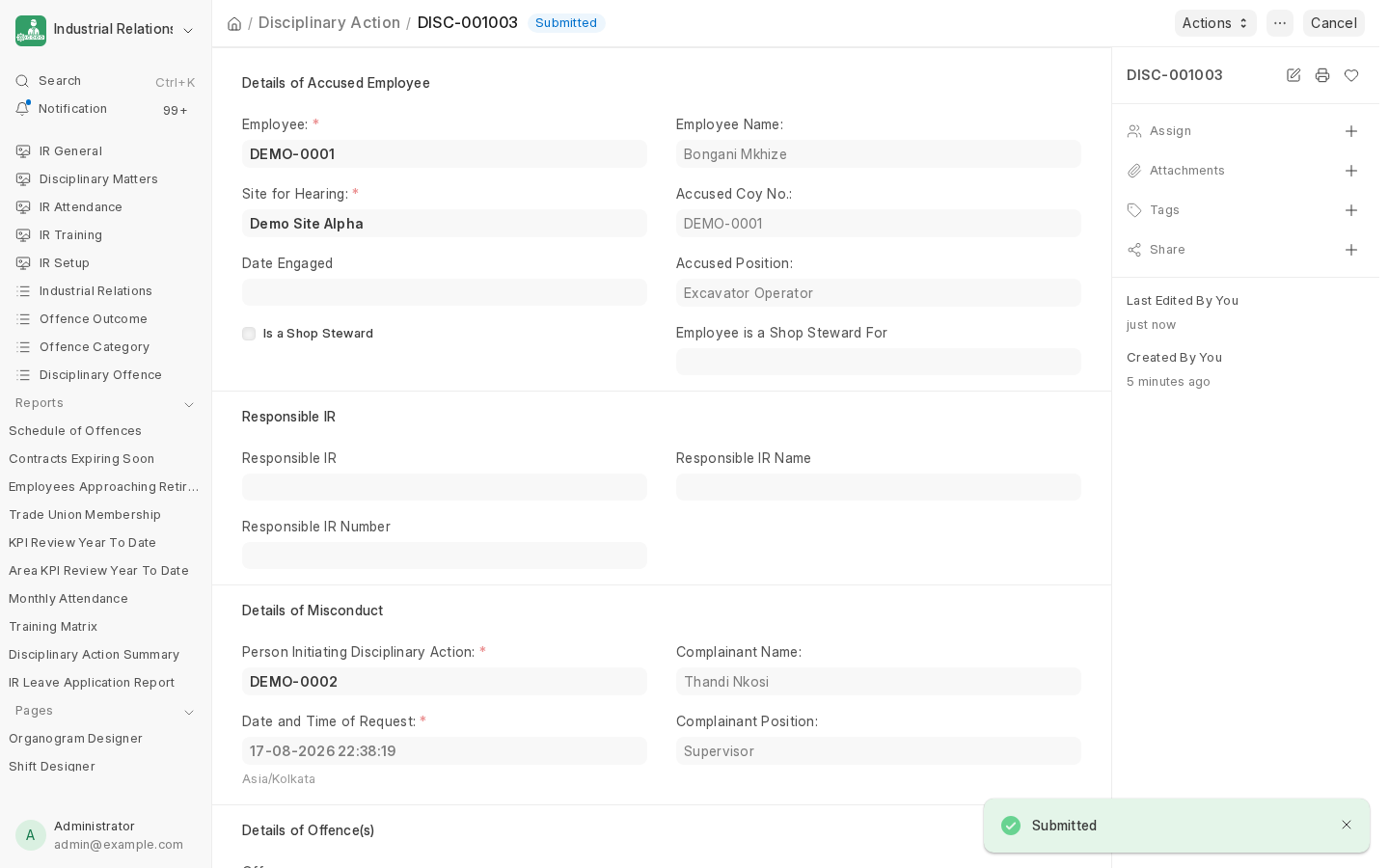
The source case itself still needs to be submitted separately once its sanction is in - issuing the sanction doesn't automatically submit the case.
Next: Automatic Demotion Reversal, or skip ahead to Appeal Against Outcome if the decision needs to be challenged.
Last updated 2 months ago
Was this helpful?